PictureMaker
Optional

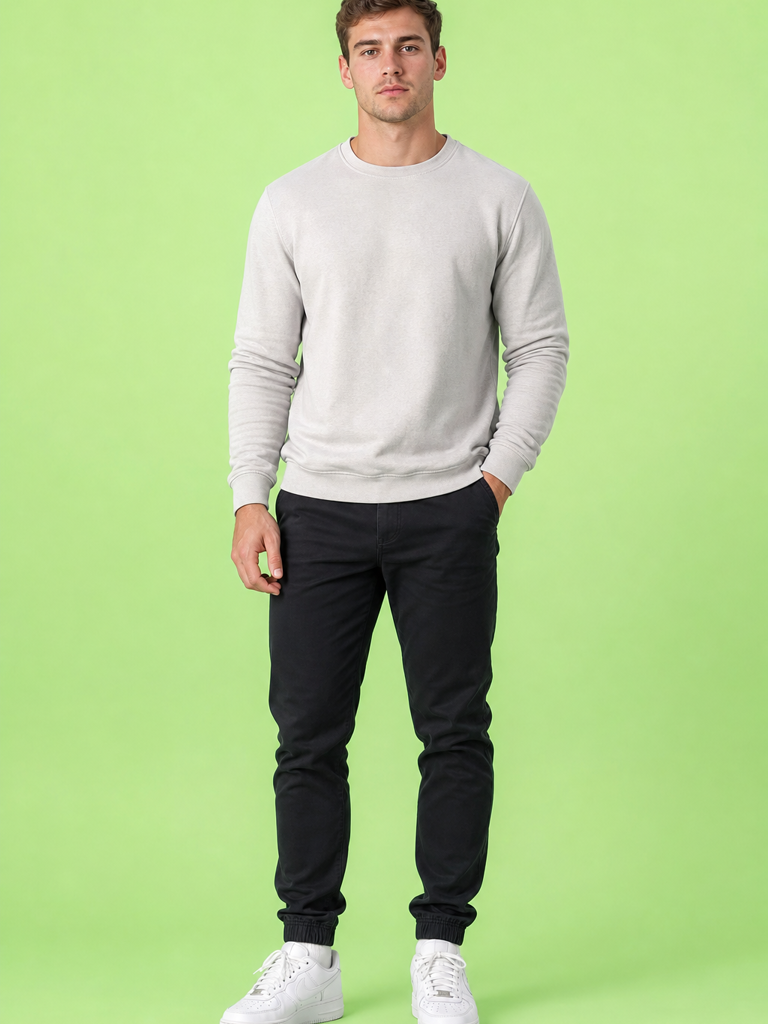
Image of the character to animate with the reference motion

Upload or choose an imageClick or drag to upload / choose from

At least 5 seconds with clear motion

Drop a video here or choose from historyClick or drag to upload / choose from
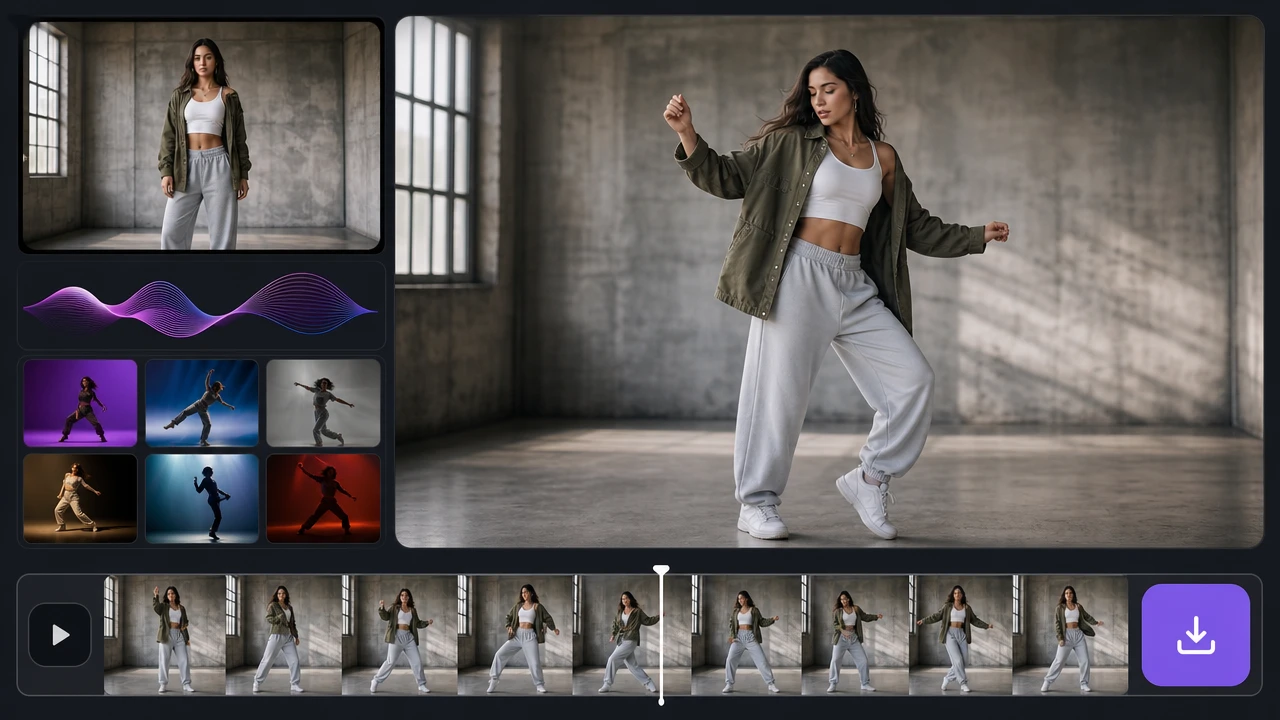
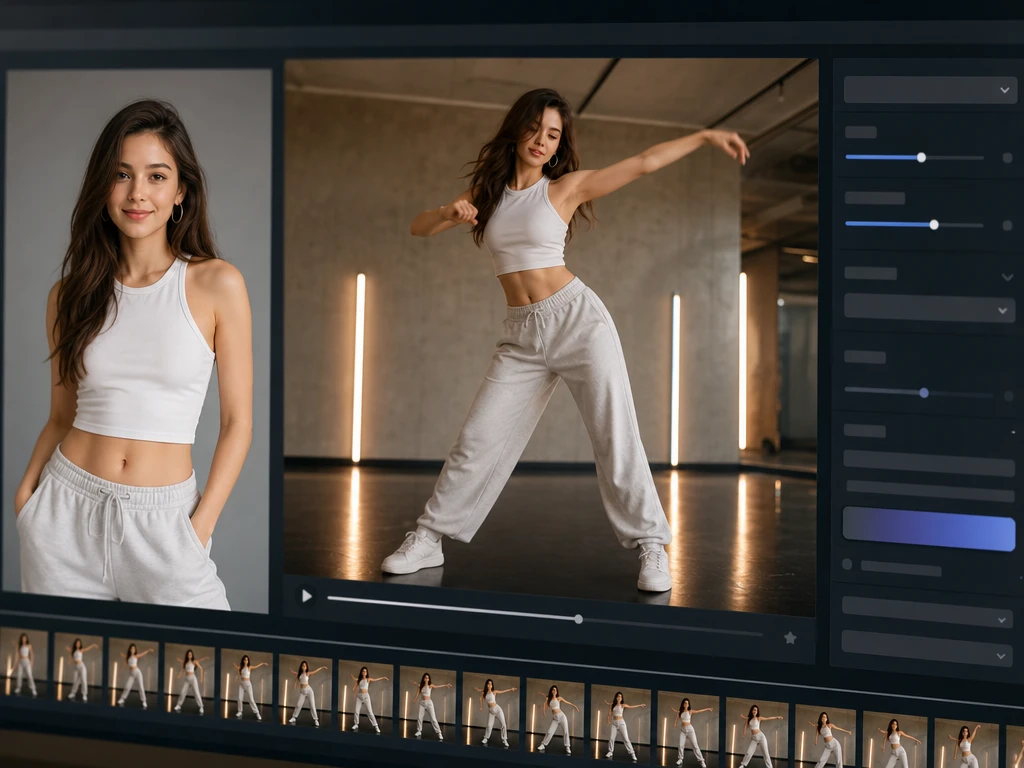
Source photo becoming a dance clip with motion style preview and export controls

ai dance generator video

ai dance generator for controlled dance clips

Turn a clear source photo into a moving dance video, choose the style that fits the post, and keep the person recognizable through the motion.

Create

Shape the dance output

PictureMaker focuses the ai dance generator around the choices that change the final clip: source image, dance style, motion fit, and share ready output.

01

Photo Input

The ai dance generator starts from one source image and turns the visible person or character into a dance clip. Use a clear front facing full body or half body photo, then choose the motion style. The ai dance generator works best when the face is visible, the pose is upright, and the lighting does not hide clothing details.

02

Dance Styles

The ai dance generator uses social video dance styles when you want a clip that feels built for short form sharing. Pick the style that matches the character and mood, then preview how the movement reads. The output is strongest when the source pose gives the body enough space to move.

03

Motion Fit

PictureMaker maps dance movement onto the image so the clip has visible rhythm instead of a static photo effect. You choose the photo and style while PictureMaker handles the image to motion ai step. The result keeps the subject moving with better control when arms, legs, and the face are not blocked.

04

Social Export

PictureMaker prepares the generated dance video for social sharing when the goal is a short clip for feeds or reels. Review the preview, then export with the setting that fits your post. The ai dance generator is intended for share ready dance clips, while exact platform choices depend on the available export options.


ai dance generator controls

Each control changes what viewers notice first: motion clarity, character consistency, source style, or the final share format.

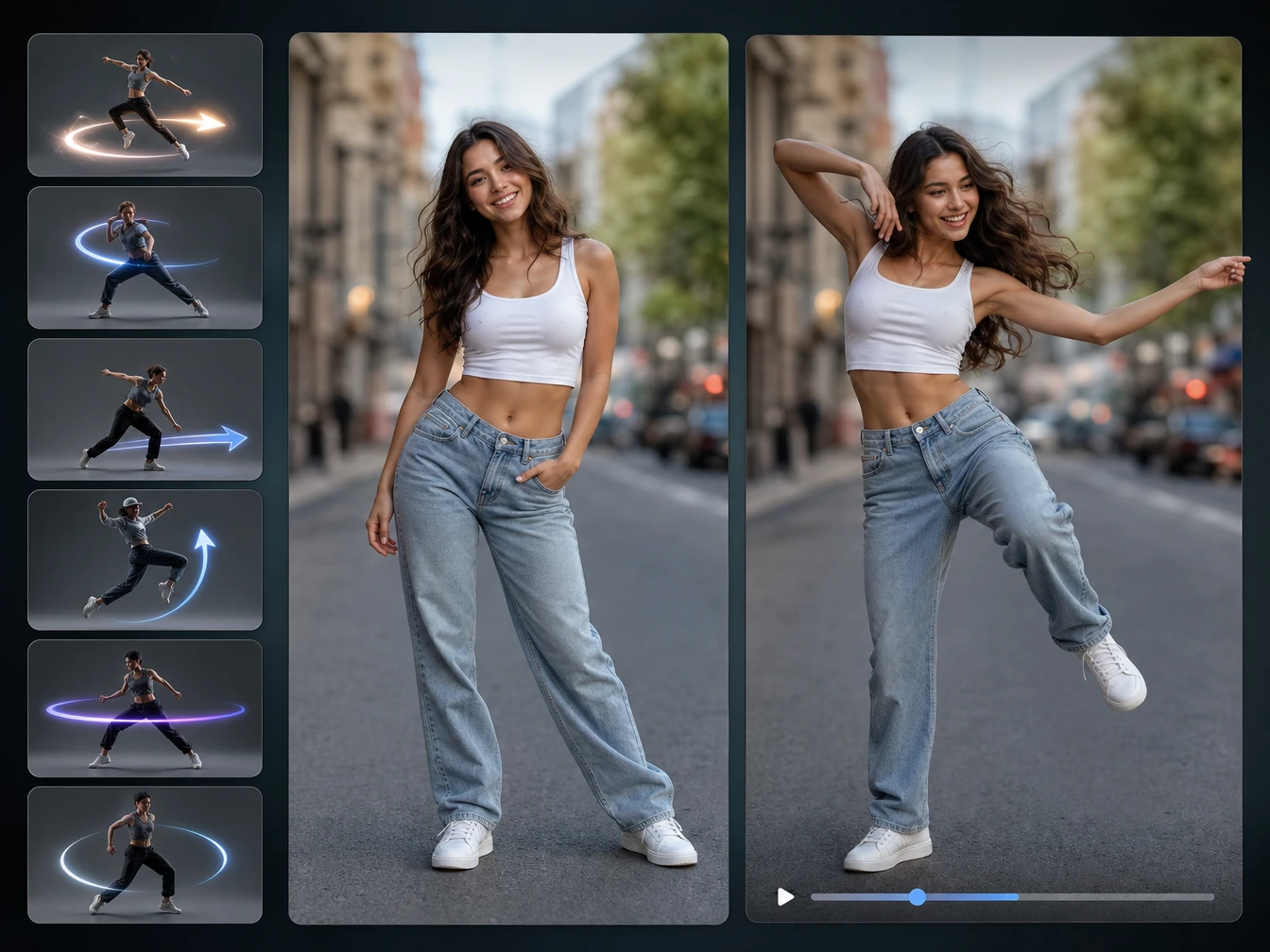
Dance style choices beside a source photo and moving character preview

Style Choice

PictureMaker applies a selected dance style when your photo needs a specific social video feel. Choose the motion direction that fits the subject, or switch styles before export. The ai dance generator gives the cleanest ai dance generator read when the selected movement matches the character pose.

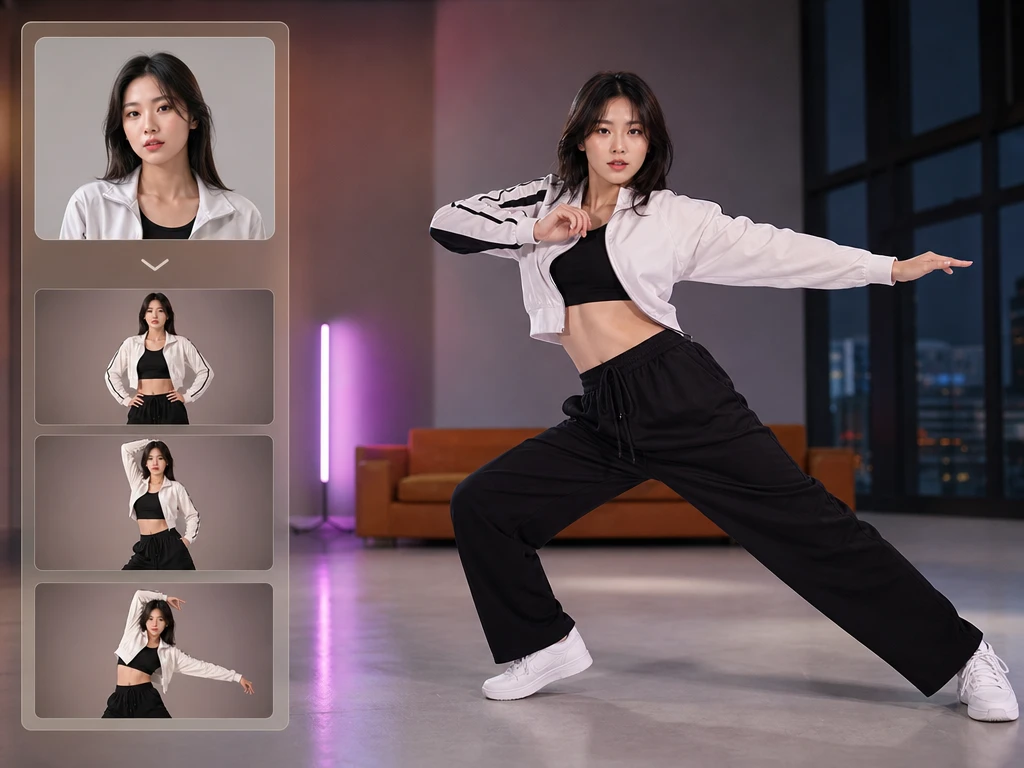
Face and clothing details held across a generated dance motion preview

Face Hold

The ai dance generator keeps the face and key clothing details in view when a dance move pushes the body through larger poses. You do not need to mark facial points by hand. The output looks more consistent when the original face is sharp and not covered by hair, hands, or props.

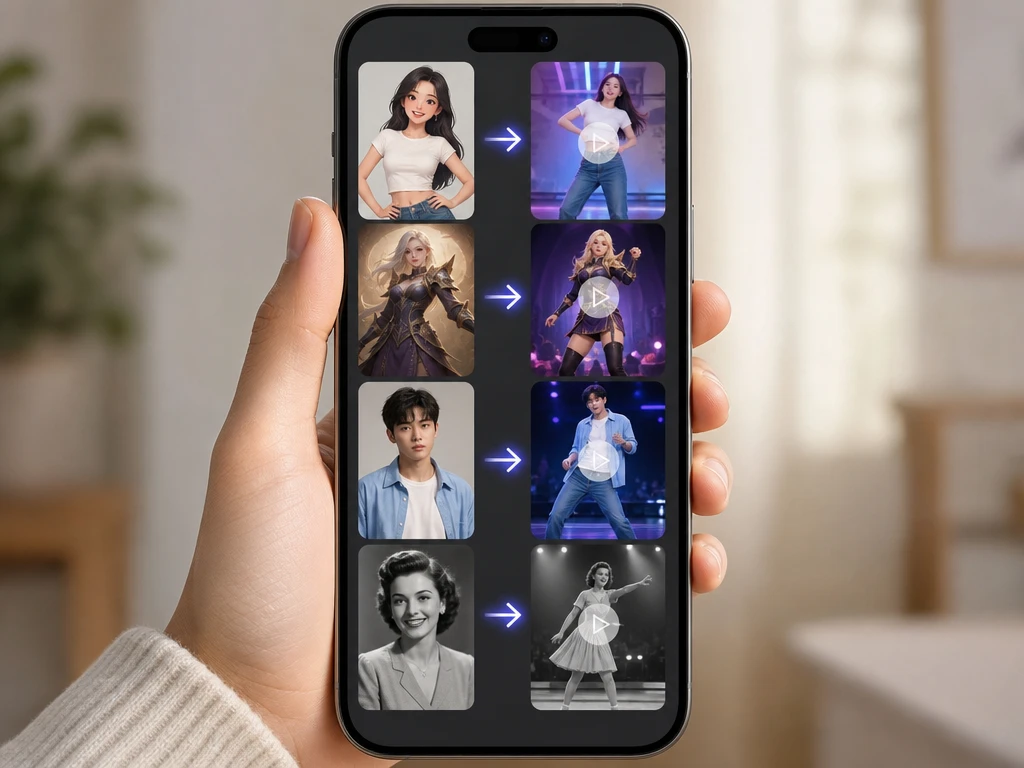
Illustrated character and portrait source images becoming dance video previews

Character Support

PictureMaker can work from real photos, illustrated characters, game style avatars, and older portraits when the subject has a readable body shape. Upload the image, then use the preview to judge whether the motion feels right. Works best with upright subjects because unusual poses can make motion transfer harder to read.

Dance video preview with source image, motion result, and export setting panel

Preview Check

PictureMaker shows the generated result before you commit to the final export when you need to catch awkward motion or image distortion. Review the clip and choose another source image or style if the movement does not fit. The ai dance generator gives you a practical quality check before the video leaves the workspace.

Make image move ai dance clips

Start with the source image, make one motion decision, then preview the clip before export.

  1. 1

    Add a common image file as the source, then PictureMaker reads the visible subject so the ai dance generator can build motion from the pose. A clear upright photo gives the tool enough face and body detail, so the first preview is easier to judge.

  2. 2

    Choose a dance style, then the ai dance generator applies motion capture ai logic to place the movement onto the image. The preview shows how the subject moves after that, so you can decide if the rhythm and pose match the creative goal.

  3. 3

    Review the generated dance clip, then export it when the motion, face detail, and clothing shape look right. The output is a short video prepared for social sharing through the available export settings.

ai dance generator uses

Use the tool when a static image needs motion for a post, character moment, explainer beat, or playful social edit.

01

Short Video Creators

When a feed needs a quick dance idea from a single photo, the ai dance generator gives you a motion preview before you spend time editing a full clip. Choose the style that matches the post format and keep the result focused on the person or character.

02

Anime and Game Fans

If a favorite character image has a clear body shape, PictureMaker can turn it into a moving dance video for social sharing. Use the preview to check whether the pose, costume details, and motion transfer still feel recognizable.

03

Small Brand Posts

A small business can use the ai dance generator to create a playful character or mascot clip without planning a full video shoot. Start with a polished source image, choose a motion style that fits the brand tone, and export a short social video.

04

Classroom Examples

If a lesson or explainer needs a light visual break, a still character can become a short motion example without building a full timeline. Keep the image simple so the dance clip supports the point instead of distracting from it.

Try your first ai dance generator pass with a clear source photo, a dance style that fits the subject, and a preview check before export.

Try an ai dance generator motion test

Try your first ai dance generator pass with a clear source photo, a dance style that fits the subject, and a preview check before export.

Start Now

Dance generator questions

What is an ai dance generator?

An ai dance generator turns a still source image into a short dance video. The result depends on the photo quality, pose, and selected motion style, which helps you judge the clip before export.

Can I use one photo only?

Yes, PictureMaker is built around a single source image for this tool. A clear front facing full body or half body photo gives the ai dance generator more usable detail for motion.

Does it support motion transfer?

PictureMaker supports motion transfer through selectable dance styles for turning a photo into a moving clip. The benefit is faster creative testing, while exact results still depend on how readable the subject is in the image.

Is this the same as ai motion capture?

The ai dance generator uses ai motion capture style processing to place dance movement onto a still image. You do not need motion capture equipment, but a blocked or unusual pose can reduce motion clarity.

What images work best?

Clear upright photos work best, especially when the face, clothing, and body outline are visible. The ai dance generator can also work with illustrated or avatar style images when the subject shape is easy to read.

Can I make image move ai content for social posts?

Yes, you can make image move ai content as a short dance video for social sharing. Review the preview first, because platform fit depends on the available export settings and the motion style you choose.

Will the face stay recognizable?

PictureMaker aims to keep the face and main visual details recognizable during the dance motion. The ai dance generator performs better when the original face is sharp and not hidden by shadows, hands, or accessories.

Can older photos work?

Older photos can work when the person is visible enough for the tool to read the face and body position. The ai dance generator may need a cleaner source if the image is dark, damaged, or heavily angled.

What does image to motion ai output look like?

Image to motion ai output is a short dance video generated from your source image and chosen style. The clip is best for social sharing when the motion looks natural in preview and the subject remains clear.